
Apps, not processes
Nine hundred processes folded into the sixty apps they belong to, with their real icons. Chrome is one row, not forty.
The Activity Monitor alternative that tells you, in one sentence, what's slowing your Mac down — and fixes it in one click. Previewed first, measured after.
Launch price for the first 200 buyers.
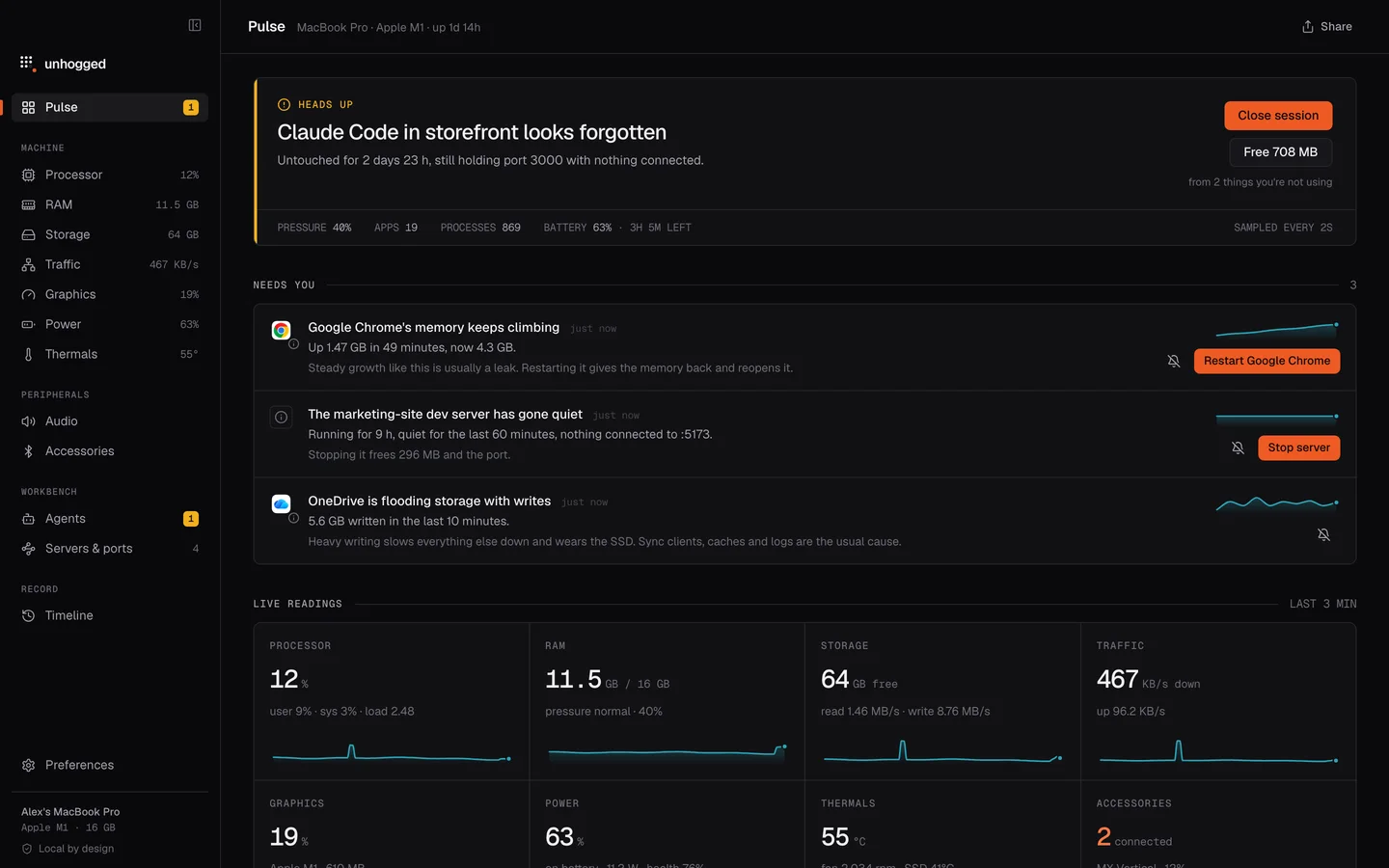
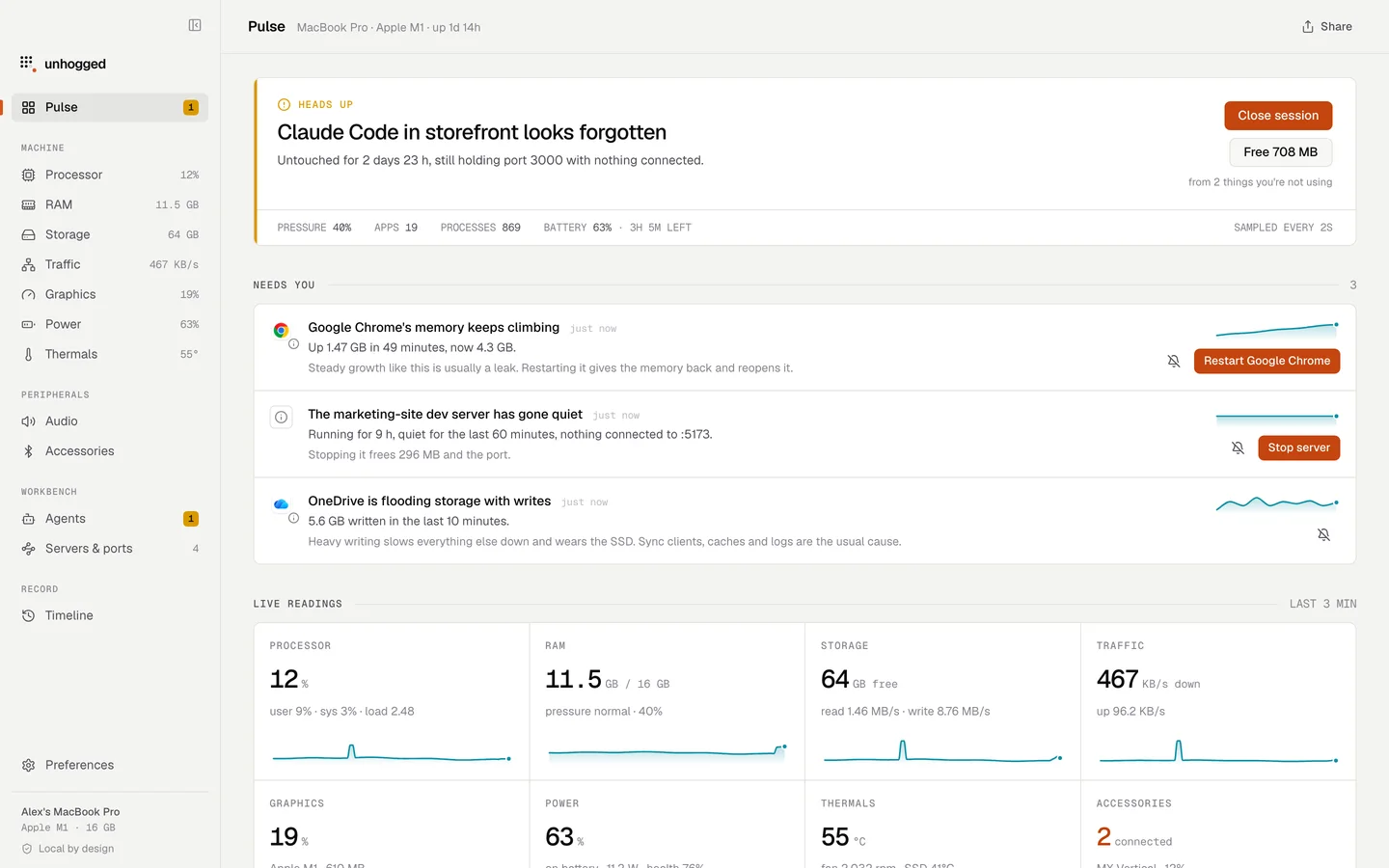
That's the real Unhogged interface, running in this page. The numbers are made up; the app isn't. Installed, it reads your Mac instead.
Every screen, before you buy — the real ones. On a computer, you can use it live.
How your Mac is doing, in one sentence — and the one thing worth doing about it.
Unhogged lives in the menu bar. Keep it to the dot grid, put your readings beside it in one item, or give each its own — a number, a live graph, or both. The stray dot lights up when something needs you.
Live: pick readings, switch the layout, open the dropdown.


Most monitors hand you forty numbers and leave the rest to you. Unhogged reads them for you: one sentence about how your Mac is doing, the app to blame, and the button that fixes it. Then it checks its own work.

Nine hundred processes folded into the sixty apps they belong to, with their real icons. Chrome is one row, not forty.
Every peak is labelled with the app that caused it, and a lane under each chart shows who was on top, minute by minute.
Quit, restart, stop a server, free a port. Each is previewed and identity-checked first, then reported as expected against measured.
Claude Code, Codex, Gemini, Cursor and Ollama, shown by project and branch with estimated cost and how long each has sat idle.
What's on :3000, answered. Every dev server with its live connections, and a stop button for the forgotten ones.
Every temperature sensor on the chip and the fans, read straight from the hardware — no helper, no admin password.
Turn one app down without touching the rest, see which app is using the microphone, and check AirPods left, right and case.
Thirty days of history per app: what used the processor, the RAM and the battery, and when it happened.
Readings in one item or one each — as numbers, live graphs, or both — beside a mark that lights up when something needs you.
No account and no analytics, and it never reads another app's environment variables — where API keys live. The only thing it sends is your licence key.
Activity Monitor and Task Manager show you numbers. Unhogged reads them, says what's wrong, fixes it, and remembers the last month.
Apps with every helper folded in, real icons, one figure each
Activity Monitor: Every process — about 900 rows, dozens of them Chrome helpers
Task Manager: Apps, with their processes underneath
One sentence, the app to blame, and what to do — leaks, hogs, heat, forgotten servers
Activity Monitor: Numbers only
Task Manager: Numbers only
Quit, restart, stop, free a port — previewed first, then measured: expected against what came back
Activity Monitor: Quit or force quit a process
Task Manager: End task
30 days of every reading, per app — charts you can zoom and question
Activity Monitor: Live graphs; 12 hours of battery
Task Manager: 60-second graphs; app totals
Claude Code, Codex, Gemini, Cursor and Ollama by project, with cost and idle time
Activity Monitor: Filed under Terminal or node
Task Manager: Filed under a terminal
What's on :3000, by project, with the idle ones called out
Activity Monitor: Not shown
Task Manager: Ports live in a separate Resource Monitor
Every sensor on the chip, and fan speed
Activity Monitor: Not shown
Task Manager: GPU temperature only
A level for each app, and which app is listening — in the same place
Activity Monitor: Not in Activity Monitor
Task Manager: In a separate Volume Mixer
Your choice of readings in the menu bar, as numbers or live graphs
Activity Monitor: The Dock icon can show a CPU graph
Task Manager: A CPU meter in the notification area
$3.99 once, for three Macs
Activity Monitor: Comes with macOS
Task Manager: Comes with Windows
✓ yes · – partly · ✕ no. Activity Monitor in macOS 26 and Task Manager in Windows 11. Unhogged runs on Macs; the Windows column is for anyone switching.
Measured on an M1 MacBook Pro running the release build, averaged over a minute.
No subscription, no account. Buy it once and it's yours.
UnhoggedLifetime licenceLaunch price for the first 200 buyers — then it steps up as licences sell:
Something else? Write to prateekrawat33@gmail.com — you'll hear back from the person who builds Unhogged.
$3.99 is the launch price for the first 200 buyers; after that it steps up to $5.99, $9.99, then $19.99. Whatever you pay, you pay once — no subscription, the licence doesn't expire, and updates are included.
One key activates Unhogged on up to 3 Macs you use. To move it to a new Mac, deactivate the old one in Preferences › License, or free it from your purchase page.
Ask for a refund within 14 days of buying, from your purchase page or by email, and you get the full amount back. The licence stops working when the refund goes through.
No. Everything Unhogged learns about your Mac stays on your Mac. Its only network request is the licence check — your key and your Mac's name, sent when you activate and every few days after. No account, no analytics.
No. Unhogged measures every process, including macOS's own, without installing anything that runs as root.
macOS 13 Ventura or later, on Apple silicon. Per-app loudness needs macOS 14.2 or later.
That's the permission macOS uses for any app that passes another app's sound through a volume control. Unhogged scales the sound on its way to your speakers; nothing is recorded or kept.
Activity Monitor lists processes. Unhogged reads them for you: it groups helpers under their apps, spots leaks, forgotten dev servers and idle AI sessions, says what to do in one sentence, and does it — then shows what came back.
It's on your purchase page, along with the download. Use the link in your receipt email, or “Your purchase” at the bottom of this page.
$3.99 once for 3 Macs. 14 days to change your mind.


 Unhogged